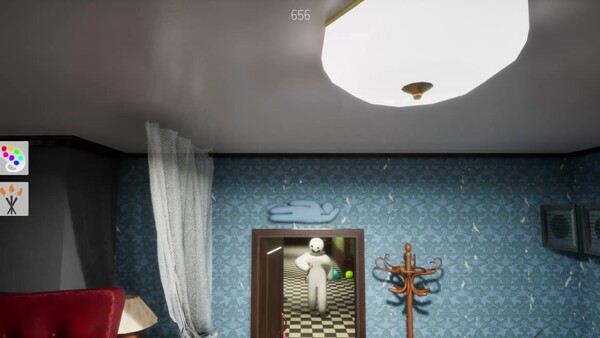
Start with reversible tests, change one variable at a time, and document version, map, host, and hardware before treating a player report as a confirmed bug.
Last checked: 2026-07-10
Scope: This troubleshooting matrix separates player reports from fixes documented in Steam News. It is not support, and none of these steps guarantees a fix.
Use one row at a time. Start with reversible checks and change one variable per test. Do not delete saves, download unknown executables, or disable security software based on a discussion reply.
Safe diagnostic order
Observe → isolate → verify → document
Connection and lobby matrix
Public rooms are missing, joining returns to menu, or an invite fails
Symptom: The list is empty, one room rejects the connection, an invite does nothing, or loading returns to the menu.
Likely cause: A transient session problem, mismatched versions, an unavailable room, host-network conditions, or a Workshop dependency. These are possibilities, not confirmed causes. One inaccessible room does not prove a global outage.
Safest first steps: Restart the game and Steam; confirm all players have updated; try another room, then a default-map lobby. Let another friend host. Avoid broad firewall or router changes.
Escalate or verify: Check fresh Steam Discussions reports. Record version, error, lobby visibility, map, and whether another host works. Never post account or IP details publicly.
Connected match has lag, rubber-banding, or paint delay
Symptom: Movement jumps, paint appears late, or play deteriorates as the lobby fills.
Likely cause: Host quality, route latency, lobby load, local rendering pressure, or a map. Player reviews mention lag but do not establish one cause.
Safest first steps: Compare a small default-map lobby with the failing room. Close bandwidth-heavy applications and switch host. Lower graphics only if frame rate also drops; graphics settings do not repair latency.
Escalate or verify: Note whether everyone sees the delay and whether it follows one host, map, or player count. A short clip plus region and lobby details is more useful than “servers are broken.”
Workshop and map matrix
Workshop map will not download or load
Symptom: Joining stalls, returns to menu, or leaves the required map unavailable.
Likely cause: An incomplete subscription, outdated item, Steam download state, or the custom map. Player reports do not prove a base-game defect.
Safest first steps: Subscribe in the Steam Workshop, let downloads finish, and restart Steam. Test an official map and read recent item comments. Avoid unknown mirrors.
Escalate or verify: Give the author the item URL, map version, failure point, and default-map result. If every Workshop item fails, document Steam’s download status for the relevant support route.
Osaka has an odd boundary route
Symptom: A route leaves the intended area, or an old clip shows an out-of-bounds spot.
Likely cause: An obsolete route, a regression, or changed geometry. Official note: update2.5.0 reworked Osaka; fix2.5.1 fixed an Osaka out-of-bounds issue.
Safest first steps: Do not exploit it. Verify everyone is updated. Reproduce only in a private lobby with consent if needed.
Escalate or verify: Record the current version and a short route video without publishing competitive exploit instructions. Check newer Steam News before calling it unresolved.
Graphics and stability matrix
Decoys appear solid black on AMD hardware
Symptom: Decoys are completely black or inconsistent, particularly on an AMD GPU.
Likely cause: A historical rendering bug, driver/settings trouble, or map lighting. Official note: fix2.2.1 addressed completely black AMD decoys. A similar symptom now is not automatically the same bug.
Safest first steps: Update the game, restart, and test an official map. Record GPU and driver versions. Obtain drivers only from AMD or the system maker. Change one graphics option at a time.
Escalate or verify: Capture map, location, settings, hardware, and a screenshot. Report a reproducible current-version case rather than assuming the old fix failed universally.
Crash, freeze, or loading hang
Symptom: The game closes, stops responding, or stays on a loading screen.
Likely cause: Damaged files, overlays, driver/runtime trouble, a Workshop item, or a regression. Player reports do not identify a universal cause.
Safest first steps: Restart the computer, use Steam’s file verification, and test a default map with overlays closed. Use only official sources for system and GPU updates. Preserve logs and saves; do not delete folders first.
Escalate or verify: Record the action before failure, recurrence, map, version, hardware, and verification result. Follow official instructions before sharing logs because they may expose usernames or paths.
Input, display, and save matrix
Controller, remapping, inversion, or ultrawide behavior is wrong
Symptom: An action is unavailable, keys cannot be arranged as expected, Y-axis behavior is unsuitable, or ultrawide framing looks wrong.
Likely cause: The feature may be incomplete, Steam Input may conflict, or a workaround may be outdated. Official note: update2.5.0 added an experimental palette for upcoming controller support; it did not confirm complete controller support.
Safest first steps: Check in-game settings and Steam Input, then test defaults before adding tools. Back up configs before edits. Community guides are third-party workarounds even when well reviewed.
Escalate or verify: Check current in-game behavior and Steam News. Report device model, connection, layout, resolution, aspect ratio, and missing action. Avoid unknown remappers requesting administrator access.
Save or Steam Cloud state is stale or conflicted
Symptom: Settings or progress look older than expected, or Steam reports a conflict.
Likely cause: Interrupted sync, the wrong conflict copy, or local write trouble. Do not assume corruption without evidence.
Safest first steps: Stop repeatedly launching. Read conflict timestamps, preserve both copies where possible, and back up before changes. Check disk space; do not erase the save to force sync.
Escalate or verify: Consult current Steam Cloud guidance and official game support. Provide timestamps and the sequence of devices used, but keep save contents private unless requested.
Conduct and suspected cheating matrix
Rapid fire, recommendation spam, offensive content, or suspicious behavior
Symptom: A public room contains abusive material, repeated recommendations, unusually rapid firing, or suspected cheating.
Likely cause: Abuse is possible, but latency or misunderstanding can look abnormal. Discussion posts are not adjudicated proof. Official note: fix2.5.1 introduced countermeasures against excessive recommendations and rapid-fire cheats; it did not promise all abuse is impossible.
Safest first steps: Leave, avoid confrontation, and use friend-only or moderated rooms. Use current platform block/report controls. Do not retaliate, expose personal information, or install unofficial “anti-cheat” tools.
Escalate or verify: Preserve a short relevant clip if platform rules allow. Report observable actions rather than motives, and check official channels for the current process.
Verification sources
- Steam News — official update and fix statements
- Steam Discussions — player-report context, not universal confirmation
- Steam Workshop — item status and author comments
- Steam store page — current store information
Prefer newer official notes and current in-game behavior over this matrix.
Continue by symptom
- Lobby visibility, host quality, or friend joining → Multiplayer Guide
- One custom map repeatedly fails → Workshop Maps Guide
- A symptom appeared after a version change → Update Timeline
- Input, controller, or display behavior is unclear → Controls and Accessibility Notes