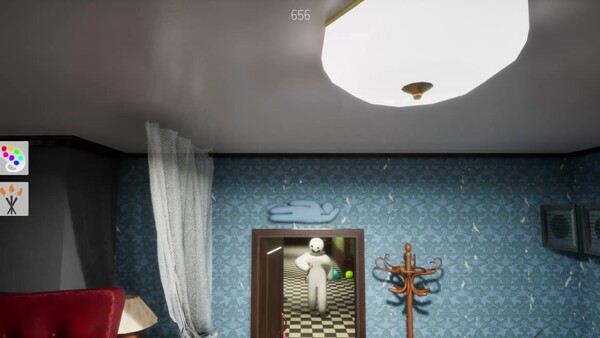
A practical MECCHA CHAMELEON Workshop maps guide based on Steam Workshop, official mapping documentation references, and community import notes for Source/Gmod maps.
Last checked: 2026-07-10
Source basis: Steam Workshop page, Steam Community map-import guide, and the official mapping guide link referenced by the community. This page does not endorse external downloads.
MECCHA CHAMELEON supports Steam Workshop, which means custom maps can become a major part of public lobbies. Workshop content is valuable, but it also creates extra failure points: map download errors, uneven balance, bad lighting, and host/lobby issues.
What Workshop changes for players
Workshop maps can change:
- hiding surface types
- lighting and shadow conditions
- map scale
- clutter density
- whether paint/material matching feels fair
- whether new players can quickly understand the layout
If you are new, learn the paint system on official/default maps first. Workshop maps can be fun, but they may punish players who do not yet understand color, material, and silhouette.
Before joining a Workshop map lobby
Workshop safety checklist
Decide whether a custom map lobby is worth joining
Check:
- Does the map download automatically from Steam Workshop?
- Does the Workshop item have recent comments?
- Does the lobby require an external file? Be careful if it does.
- Is the map extremely dark, shiny, or visually noisy?
- Are players reporting crashes or loading loops?
If custom maps fail, test an official/default map lobby before assuming your game is broken.
Community map importing: Source/Gmod maps
A Steam Community guide titled How To Import a Map From Gmod/Source Engine explains that porting maps is possible but not trivial.
Important takeaways from the guide:
- MECCHA CHAMELEON uses Unreal, so Source/Gmod map importing requires conversion work.
- The author expected a short process but says the first map took 2–3 days due to troubleshooting.
- The guide references an official MECCHA CHAMELEON mapping guide hosted as a Google Doc.
- Blender/Unreal knowledge is helpful.
- Imported maps can have issues that require cleanup and testing.
This is useful for creators, but normal players should not treat Source/Gmod importing as a simple one-click process.
What makes a good MECCHA CHAMELEON map
Creator/player evaluation card
A good map creates fair visual decisions
Good map signals
- Varied surface families.
- Readable lighting and shadows.
- Texture detail that supports camouflage.
- Movement routes that feel fair.
Bad map signals
- Pure darkness everywhere.
- Shiny/noisy surfaces with no logic.
- Huge empty flat rooms.
- Unstable loading or unclear Workshop source.
Based on the game loop, good maps need more than pretty rooms. They need:
- varied surfaces for paint matching
- enough texture/pattern detail to support camouflage
- not so much clutter that Seekers cannot reason visually
- readable lighting
- fair movement routes
- spots where silhouette matters, not only dark corners
- stable loading for public lobbies
What to avoid claiming
Do not claim:
- a Workshop map is safe just because it appears on Steam
- a custom map is balanced without testing
- external downloads are required for normal play
- imported Source maps work perfectly after conversion
- every public server issue is caused by Workshop maps
Troubleshooting Workshop maps
If a custom map will not download or load:
- Subscribe to the item directly on Steam Workshop.
- Restart Steam.
- Restart MECCHA CHAMELEON.
- Try a default map lobby.
- Check the Workshop item comments.
- Avoid external downloads unless you trust the source.