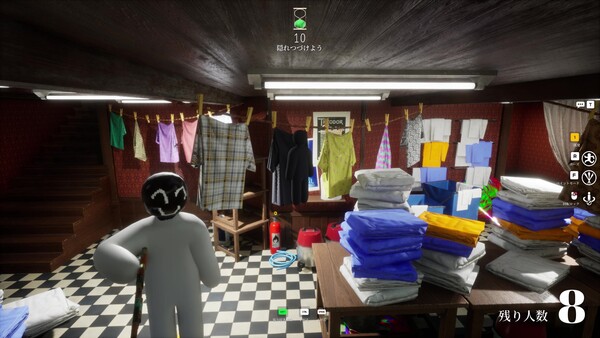
Host a server, set it private (non-private servers are open to anyone), and bring friends in via Steam invites. Most failed joins come from version mismatches or missing Workshop maps — run the checklist below before blaming the game.
Last checked: 2026-07-12
Source basis: the official Steam description (friend play and open non-private servers) plus community-reported invite and joining issues, labeled as such. Exact menu wording can change between patches, so we describe the flow rather than screenshot-by-screenshot steps.
Public lobbies are where the chaos is; private lobbies are where the actual fun with friends happens — no offensive paint, no whistle spam, your own rules.
One person hosts and sets the server private, everyone else joins through Steam. Same game version + same Workshop maps = successful join.
What the official description confirms
Two facts from the Steam page shape everything else:
- You can play with friends — friend lobbies are a supported, first-class way to play.
- Non-private servers can be joined freely by anyone. So if you do not set your server private, expect strangers.
The developer also explicitly welcomes streamer viewer-participation games, which are effectively big semi-private lobbies with rules.
Setting up a friends-only match
- Pick your host deliberately. The recommended 2–10 player count depends on the host’s network — give hosting duty to the best connection, not the most enthusiastic friend. See player count.
- Host creates the server and sets it private (or password-protected, depending on current menu options).
- Everyone updates first. Close the game, let Steam patch, and verify integrity if unsure — version mismatch is the most-reported join blocker.
- Decide maps before inviting. If you run Workshop maps, every player must finish downloading them; one failed download strands that player.
- Invite via Steam. Reports say invites occasionally misfire — if an invite does nothing, restart Steam and the game, then try join-via-friends-list instead.
Pre-game checklist that prevents most failures
Skipping these causes 90% of failed nights
- Someone launched before Steam finished patching.
- The lobby runs a custom map half the group never downloaded.
- The host is on hotel Wi-Fi.
- Nobody agreed on the mode, so half the lobby quits after round one.
Do this instead
- Everyone restarts Steam 5 minutes before game time.
- First session: official maps only, add Workshop later.
- Best connection hosts; test with one friend before inviting eight.
- Pick a mode up front — modes guide.
House rules worth agreeing on
Private lobbies mean your rules. The settings players commonly negotiate: optional Hunter ammo limits (added in update 2.3.0 per Steam News — see updates), whistle usage, and whether repainting mid-hunt is fair game. Thirty seconds of agreement saves an evening of arguments.